
Sound Assistant
Screenshots
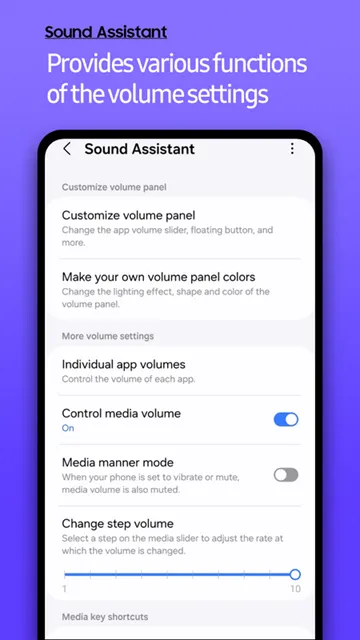
Sound Assistant is a specialized application designed for Samsung Galaxy users who want total control over their audio environment. Most mobile devices offer a single volume slider for everything. This limitation often leads to frustration when you want to listen to music while playing a game. This app changes that reality by providing deep customization options. It allows you to manage how every single app produces sound. You can fine-tune your device to match your personal preferences perfectly. Samsung developed this utility as part of its Good Lock family of apps. It focuses on solving common audio problems that standard settings cannot reach. Whether you are a gamer, a music lover, or a professional, this tool offers something for everyone. It simplifies complex audio tasks into a user-friendly interface.
Granular Volume Control with Sound Assistant
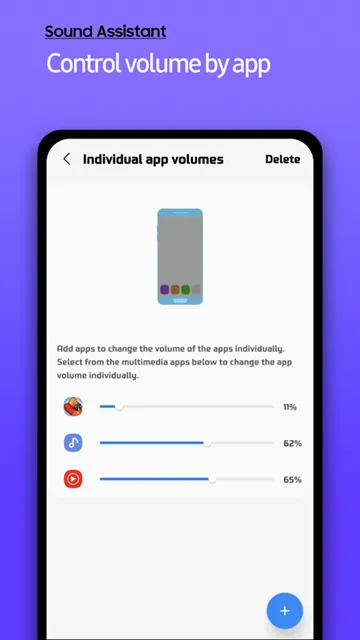
One of the most popular features is the ability to control volume on an individual basis. Standard settings usually change the volume for all media at once. However, Sound Assistant allows you to set specific levels for every application. For example, you might want your navigation app to be loud. At the same time, you may want your music player to stay at a medium level. This tool makes that possible.
- Open the individual app volumes menu.
- Add the apps you use most frequently.
- Adjust the slider for each specific app.
This feature ensures that you never get blasted by a loud advertisement again. You can keep your social media apps quiet while keeping your video players loud. Additionally, the app remembers these settings. You do not have to reset them every time you restart your phone. This creates a much more predictable and pleasant user experience. It puts the power of a mixing board right in your pocket.
Master Dual App Audio via Sound Assistant
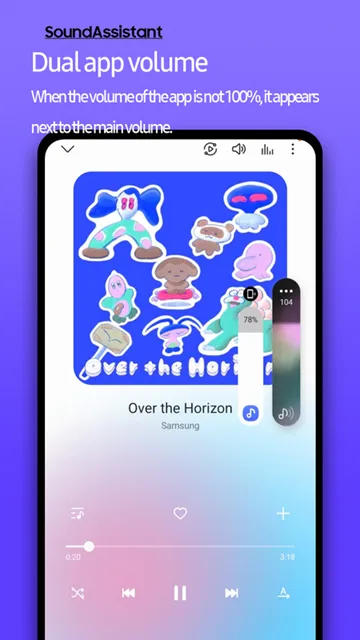
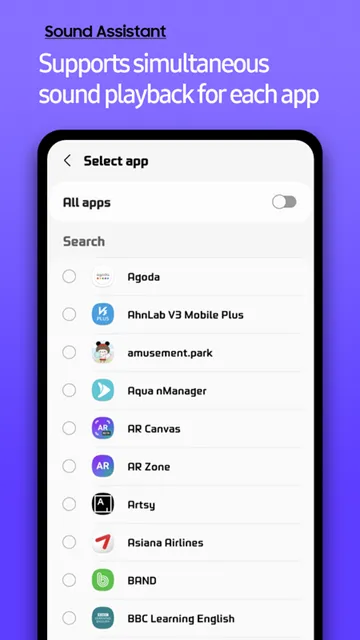
Mobile operating systems typically stop one audio source when another begins. This “audio focus” rule can be annoying if you want to multitask. Sound Assistant introduces a feature called Multi-Sound. This allows two different apps to play audio at the same time without interrupting each other. You can watch a silent video while your music continues to play. Moreover, you can play a game and listen to a podcast simultaneously.
To enable this, follow these simple steps:
- Locate the Multi-Sound option in the main menu.
- Select a specific app to allow it to play alongside others.
- Alternatively, enable the “All Apps” toggle for total freedom.
This functionality is especially useful for content creators. You can monitor audio levels from different sources while you work. It also improves the experience for casual users. You no longer have to choose between your favorite tracks and your mobile games. Consequently, your device feels more like a desktop computer.
Customizing the Sound Assistant Interface
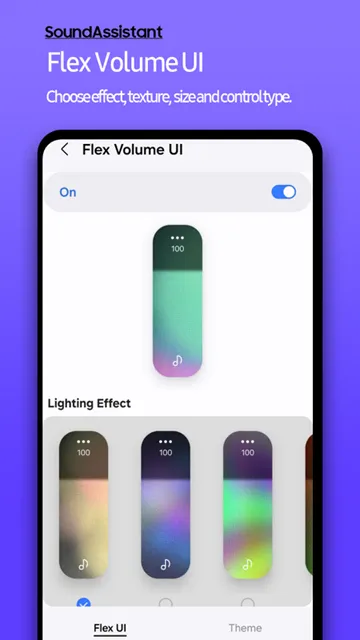
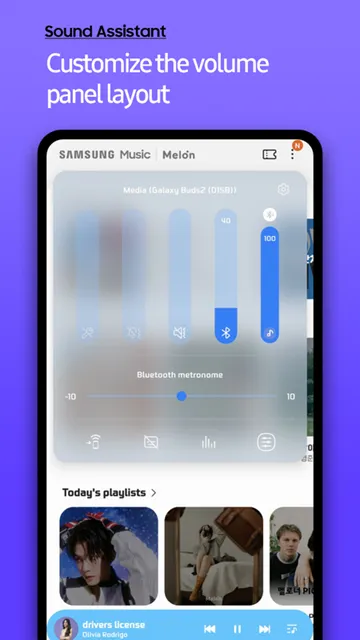
The look of your phone is just as important as how it works. This app lets you redesign the volume panel to suit your style. The default vertical slider is functional but often lacks personality. With this tool, you can change the panel to a horizontal layout. You can also apply different colors and themes to the sliders. This makes the interface much more visually appealing.
- Go to the “Customize Volume Panel” section.
- Toggle the custom theme options.
- Select a color palette that matches your wallpaper.
Beyond aesthetics, this customization improves accessibility. You can move the volume panel to the left or right side of the screen. This is helpful for people who use their phones with one hand. Furthermore, you can increase the number of visible sliders. This allows you to see the volume for calls, notifications, and media all at once. It reduces the number of taps needed to reach your settings.
Advanced Equalizer Settings in Sound Assistant
Not all speakers and headphones are equal. Some have too much bass, while others sound flat. Sound Assistant includes an advanced equalizer to fix these issues. It provides a more detailed interface than the standard system equalizer. You can adjust specific frequencies to get the best out of your hardware. This is essential for audiophiles who want high-fidelity sound.
The app also offers unique audio effects:
- Concert Hall: This adds a sense of space and reverb to your music.
- Adapt Sound: This tests your hearing to create a custom sound profile.
- Mono Audio: This merges stereo sound into a single channel for accessibility.
By using these tools, you can compensate for poor-quality headphones. You can also optimize your phone for high-end Bluetooth speakers. The app creates a cleaner and more balanced output. Transitioning between different audio devices becomes much easier when you have a dedicated tool to manage them.
Managing Audio Schedules and Scenarios
Your audio needs change throughout the day. You might need your phone to be silent during work hours. However, you want it to be loud when you get home. Sound Assistant helps you automate these changes using “Scenarios.” You can set specific rules based on the time of day or your location. This automation ensures your phone always behaves correctly.
- Enter the “Scenarios” menu.
- Choose a trigger, such as a specific time.
- Set the desired volume levels for that time.
- Optionally, set the phone to vibrate or stay silent.
This feature prevents embarrassing situations in meetings or classrooms. You do not have to remember to mute your phone every morning. In addition, you can set a “Sleep” scenario. This can gradually lower your music volume as you fall asleep. It makes your smartphone feel more intelligent and proactive.
Enhancing the Gaming Experience
Mobile gaming requires precise audio to be successful. Sound Assistant offers features specifically for players. For instance, the “Reverse Stereo” feature is very helpful. If you hold your phone upside down, the left and right audio channels can get swapped. This app lets you flip them back so the sound matches the action on the screen.
- Turn on the floating button for quick access during gameplay.
- Use the floating button to adjust volume without pausing the game.
- Balance the chat volume with the game sound effects.
These small adjustments provide a significant advantage in competitive games. You can hear the direction of footsteps more clearly. You can also ensure that your teammates’ voices do not drown out the game audio. It transforms the mobile gaming experience into something much more professional. The app acts as a dedicated controller for your ears.
Conclusion
Sound Assistant is an essential tool for anyone using a Samsung device. It provides a level of control that the standard system simply cannot match. You can manage individual app volumes and play multiple sounds at once. The app also allows for deep visual customization and automated scheduling. It solves the most common audio frustrations with simple and clear settings. By using this utility, you maximize the potential of your hardware. It ensures that every song, video, and game sounds exactly how you want it. Download the app today to experience a new level of audio freedom.